The bilingual website problem
Many brands serve English- and Spanish-speaking customers on the same domain. Building a full Spanish mirror site is expensive: duplicate pages, duplicate SEO, and duplicate embeds. For a lot of offers, visitors only need the spokesperson in their language. Not a second website.
A website spokesperson already builds trust on the page. A bilingual player extends that trust across languages without splitting your traffic across two home pages.
Live bilingual player demo
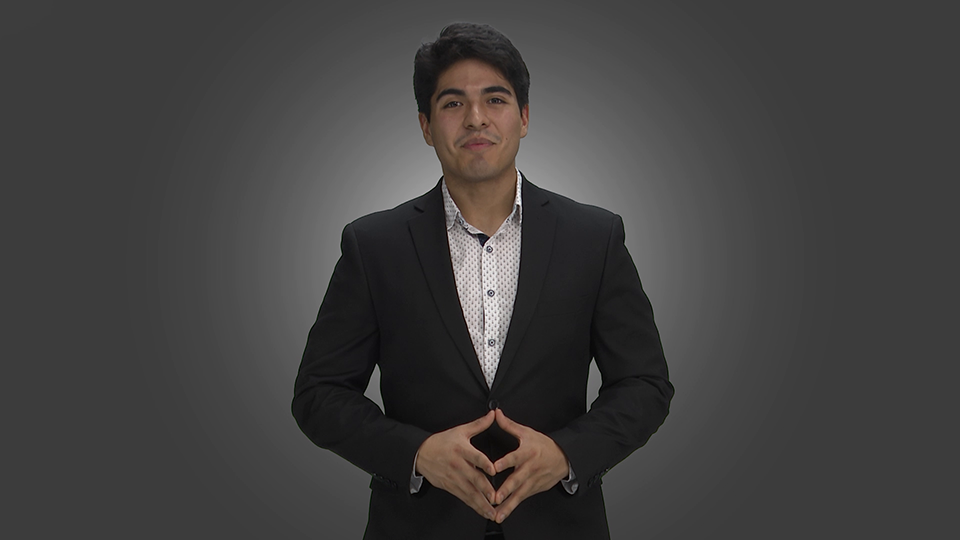
See English and Spanish tracks in one embed: switch languages in the player bar:
When one player beats two sites
Choose the bilingual player when:
- One primary landing page serves both language groups (homepage, campaign lander, or product URL)
- The offer is the same in both languages: you need a second script, not a second product
- You want one embed for ops and analytics instead of parallel Spanish pages
- Speed matters: ship language tracks on the existing page while a full locale site waits
Build separate language sites when you need distinct SEO URLs, region-specific legal copy, or heavily localized UX. Many teams start with the bilingual player, then expand locales later.
How the bilingual player works
1. Primary track
Produce your main website spokesperson (often English) as you normally would.
2. Secondary track
Shoot the same message in Spanish (or French, etc.) with matching talent and length.
3. One embed
Drop the bilingual specialty player on the page. Visitors pick their language in the player bar.
File naming is simple: YourName.webm for the default language; YourName - Spanish.webm (and the same pattern for other languages) for additional tracks. See the demo page for live markup.
Script and production tips
- Same job, native wording: Do not machine-translate word-for-word. Keep the CTA identical; let idiom feel natural.
- Match length: Keep tracks in the same length band so the player experience stays consistent.
- Same talent when possible: One face across languages strengthens recognition (our Julio demo is the model).
- Test the toggle: Confirm the language control is obvious above the fold on mobile.
Pair bilingual video with clear on-page language cues (a short line above the player is enough). For broader video strategy, see ways to use video for marketing and how a spokesperson increases conversions.
Pricing and how to order
Each language version is its own spokesperson video:
- $399: up to 30 seconds, per language
- $499: 31–60 seconds, per language
Order through the order form or from the website spokesperson page and tell us which languages you need. We produce the tracks; you embed the bilingual player. Full rates: pricing.
FAQ
What is a bilingual website spokesperson?
A talking-head video with language tracks (for example English and Spanish) in one embed. Visitors switch languages in the player instead of opening a separate Spanish site.
Do I need a separate Spanish website?
Not for the video. One page and one bilingual player can carry multiple tracks. Build full locale sites only if you need per-language SEO URLs or heavily localized UX.
Can I add more than English and Spanish?
Yes. Use the same naming pattern (YourName - French.webm, and so on). The specialty player supports additional tracks.
How do I get started?
Order a website spokesperson and list your languages. Or try the live bilingual demo first.
Ready for English and Spanish on one page?
Get bilingual spokesperson tracks, then use the specialty player. Or browse other players (exit intent, FAQ, MVP, slider) on Specialty Players.