Why the background matters
Viewers decide in seconds whether a talking head feels professional. Wardrobe and lighting matter—but a busy, low-contrast, or off-brand talking head background makes the speaker look amateur even when the script is strong.
On YouTube, the frame competes with thumbnails and related videos. On a website, the same face often sits next to navigation and CTAs. In both cases the backdrop should support the message, not steal it. For placement strategy after you pick a style, see match video style to website placement.
Preview before you order
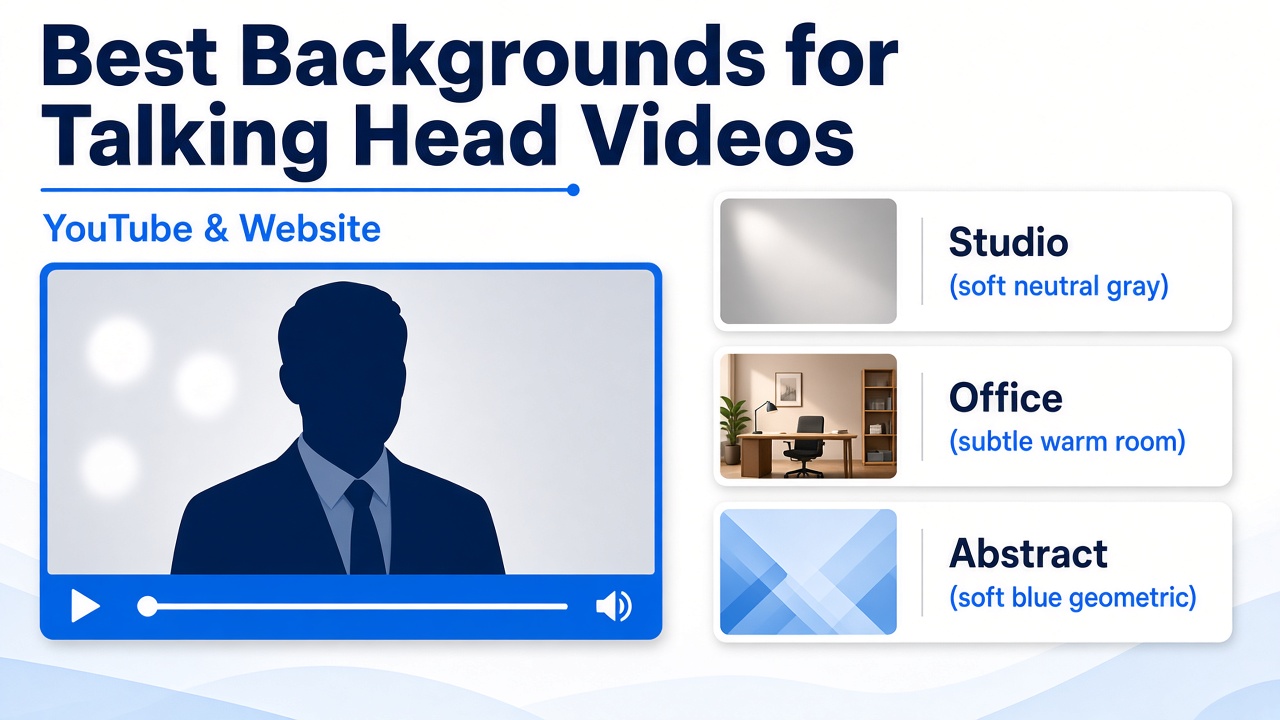
Browse studio, office, and abstract talking head video backgrounds, then tell us which look to composite:
What makes a good talking head background
- Quieter than the face — Soft depth, not busy shelves, logos, or motion that pulls the eye.
- Brand-aligned — Color temperature and mood should match your site and product, not a random stock office.
- Readable contrast — Light clothing on dark sets (or the reverse) so hair and shoulders separate cleanly.
- Stable across platforms — The same plate should still read when cropped for YouTube, LinkedIn, or a homepage hero.
If you already know you need full control in post, compare with how green screen videos boost engagement and our green screen video option.
Studio, office, or abstract?
Studio / neutral
Best default for B2B and service offers. Soft gray or warm neutrals keep attention on the spokesperson and CTA.
Office / stage
Fits corporate training, leadership messages, and “we’re a real team” trust. Keep furniture and windows soft so they don’t compete.
Abstract / tech
Suits SaaS, creative, and product launches. Use color and shape sparingly—abstract should still feel intentional, not chaotic.
Dark vs light backgrounds
There is no single “best” luminance. Use a lighter, open talking head video background when you want approachability (most homepage welcomes). Use a darker set when clothing is light, the brand is cinematic, or you need stronger edge contrast for a YouTube thumbnail crop.
Always preview the talent against both moods. The same script reads differently when the plate changes—and wardrobe that works on a gray studio can fail on a black void.
YouTube Ready vs website spokesperson
YouTube Ready packages are built for Full HD delivery with a chosen background (and optional logo or URL treatment). A website spokesperson often uses transparent or composited delivery for site players—but the same background logic applies: don’t let the plate fight the face.
Many brands shoot once and cut for both channels. Planning tips: cut one master sales video into ads and presentations.
Finished background vs green screen
- Finished talking head background — We composite a selected plate for you. Fast path when you want a ready look from the gallery.
- Green screen file — Keyed talent so your editor (or agency) drops in custom environments later. More control, more post work.
Pick finished backgrounds when speed and consistency matter. Pick green screen when brand guidelines require proprietary rooms, product stages, or motion graphics behind the talent.
Quick checklist before you order
- Does the plate match brand colors and site mood?
- Is the set quieter than the spokesperson?
- Have you checked contrast with planned wardrobe?
- Will the frame still work cropped for YouTube and social?
- Do you need a finished plate or a green screen deliverable?
Then open the backgrounds gallery, pick a look, and order—or ask us to recommend a plate for your industry.
FAQ
What is the best background for talking head videos?
Clean, brand-aligned, and not busier than the spokesperson. Neutral studio for most B2B; office/stage for corporate; abstract for tech and creative brands.
Dark or light background?
Light for approachable homepage energy; dark for contrast with light clothing or a cinematic thumbnail. Preview both before you lock wardrobe.
Background vs green screen?
A finished background is composited for you. Green screen gives you a keyed file to edit yourself. Choose based on control vs speed.
Can I preview before ordering?
Yes—use the talking head backgrounds page, then tell us which option to use on your order.
Pick a talking head background that sells the face
Preview plates, then order a YouTube Ready or website spokesperson video with the backdrop you want.