Why One Master Shoot Beats One-Off Videos
Most teams treat each channel as a separate project: a long landing-page VSL, a demo for sales calls, a 30-second Meta ad, a Reel teaser. That multiplies shoot days, talent fees, and creative risk and the face of the brand keeps changing.
A better pattern: produce one master sales presentation (or VSL) with modular chapters, then cut variants. Talking Heads builds VSLs and presentation videos with that conversion stack in mind: spokesperson delivery, graphics, and pacing you can reshape per placement.
VSL & Sales Presentation Videos
See how Talking Heads produces sales presentations and VSLs with professional talent, graphics, and editing:
VSL & Presentation Videos That Convert (Talking Heads)
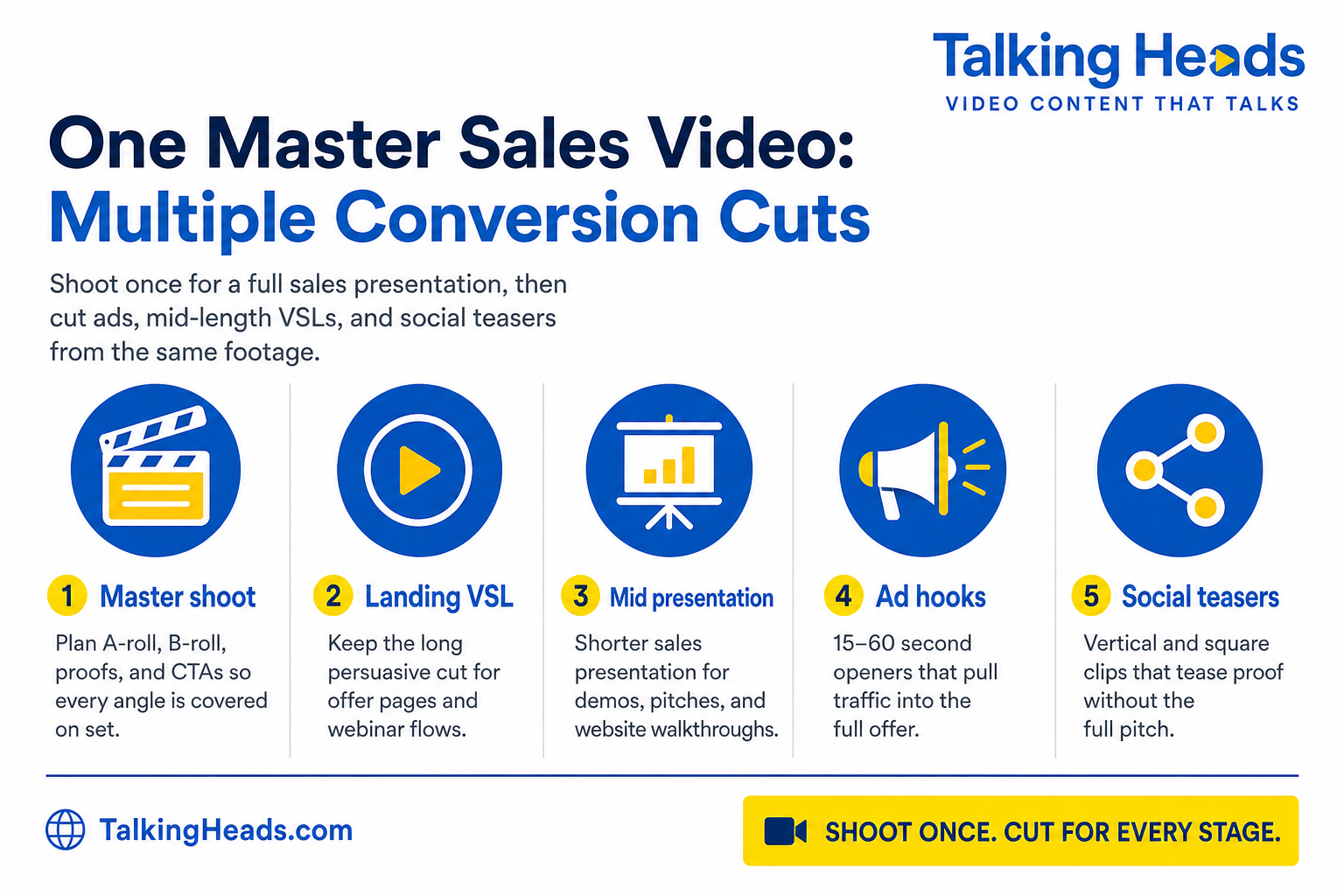
The Four Cuts Most Brands Need
Map these outputs before you write the script. So the shoot covers every angle once.
1. Landing-page VSL
Full persuasive cut: hook, problem, solution, proof, offer, CTA. Lives on sales pages and webinar-style flows. This is the long “close the deal” asset.
2. Mid-length presentation
Shorter sales presentation for demos, product walkthroughs, website tours, or enablement. Clarity and proof matter more than full offer mechanics.
3. Ad hooks (15–60 sec)
Cold-traffic openers that name the pain and tease the payoff. Then send viewers to the VSL or offer page. Same talent, tighter pacing.
4. Social teasers
Square or vertical clips from proof moments, demos, or a single striking line. Spark curiosity without dumping the full pitch into the feed.
What to Capture on the Master Shoot
Editors can only cut what you shot. Brief the day for a multi-asset library:
- A-roll for the full argument: Complete master take of the sales presentation / VSL structure
- Alternate hooks: Two or three openings (curiosity, result, objection) so ads and social can A/B without reshoots
- Modular proof chapters: Testimonials, demos, screen captures, and guarantee beats that stand alone as shorts
- B-roll and graphics plates: Product shots, UI, and text overlays that support every cut length
- Standalone CTA takes: Short “book a call / buy now” endings you can append to ads and teasers
That checklist is how one production day yields a master VSL plus presentations, ads, and teasers: aligned with how Talking Heads frames custom video presentation uses (sales, product demo, walkthrough, training).
Presentation Cut vs. Full VSL
They share talent and footage; they do different jobs:
| Factor | Full VSL | Mid presentation cut |
|---|---|---|
| Primary job | Sell or book the call | Explain, demo, or pitch with proof |
| Typical home | Offer lander, webinar replay | Demo page, sales deck embed, walkthrough URL |
| Offer mechanics | Price, guarantee, urgency | Often lighter. CTA may be “talk to sales” |
| Length | As long as the case needs | Shorter; drops deep objection handling |
If you only need a definition of VSL structure, use the Video Sales Letter guide. This article assumes you already know what a VSL is and you want the rest of the funnel from the same shoot.
Keep Talent Consistent Across Cuts
Recognition compounds when the same spokesperson appears in the long VSL, the mid presentation, and the ads that feed them. Change framing and length for the channel. Not the face. Browse professional video spokespeople and actors when you cast a multi-cut campaign.
Common Multi-Cut Mistakes
Challenge: Script Only for the Long Cut
Solution: Write alternate hooks and standalone CTA lines into the shoot list before day one.
Challenge: Vertical Afterthought
Solution: Frame proof and hook moments with social crops in mind, or capture a few vertical-safe takes.
Challenge: Different Face Per Channel
Solution: One talent library across VSL, presentation, and ads so paid traffic recognizes the landing page.
Frequently Asked Questions
Next Steps
Ready to shoot once and cut for every stage?